
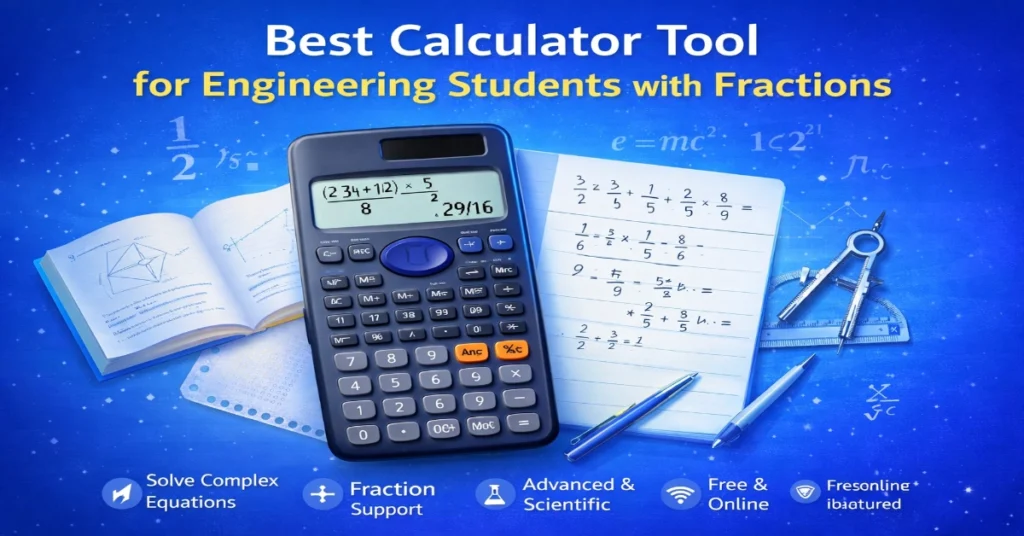
Best Calculator Tool for Engineering Students with Fractions
EMI Calculator
Calculate your loan EMI in seconds and plan your payments smartly—try it now!
Age Calculator
Find your exact age in years, months, and days instantly—just one click!
🔹 GST Calculator
Quickly calculate GST for any amount with accurate results—save time now!
🔹 BMI Calculator
Check your body health status instantly with our free BMI calculator—start now!
🔹 SIP Calculator
Estimate your future investment returns easily and grow your wealth smarter—try it today!
Introduction
Engineering is the backbone of innovation, but before a bridge is built or a circuit is designed, it exists as a complex web of numbers, formulas, and—most critically—fractions. For engineering students, fractions are not just a middle-school math review; they are a daily reality. Whether you are dealing with resistance in parallel circuits, stress-strain calculations, or unit conversions in thermodynamics, fractions are unavoidable.
However, traditional calculators often turn simple fractional equations into a confusing mess of decimal approximations. If you are an engineering student looking for a calculator tool for engineering students with fractions, you have come to the right place.
In this article, we will explore why a fraction-capable calculator is essential for engineering studies, the top features to look for, and how to use these tools to boost your accuracy and save time during exams and projects.
Why Engineering Students Need a Fraction-Specific Calculator
1. Precision Over Approximation
In engineering, precision is non-negotiable. When you divide 5 by 8, a standard calculator gives you 0.625. But when you are working with formulas like (5/8) * (2/3), maintaining the fractional form prevents rounding errors that can compound throughout a complex calculation. A calculator tool designed for fractions keeps numbers in their exact rational form, ensuring your final answer is accurate to the last significant figure.
2. Simplifying Complex Algebraic Fractions
Engineering mathematics involves rational expressions, partial fractions, and transfer functions. A calculator that handles fractions natively allows you to input (3/4) / (5/6) and receive 9/10 instantly—without converting to decimals and back.
3. Time Efficiency During Exams
During an exam, time is your most valuable asset. Manually simplifying fractions or converting mixed numbers to improper fractions consumes precious minutes. A robust calculator tool automates this process, allowing you to focus on the engineering concepts rather than arithmetic errors.
4. Reducing Human Error
Let’s face it—arithmetic mistakes are the leading cause of lost marks in engineering coursework. By using a dedicated calculator tool for engineering students with fractions, you minimize the risk of misplacing a numerator or denominator during multi-step problems.
Key Features to Look for in a Fraction Calculator Tool
Not all calculators are created equal. When selecting a calculator tool for engineering studies, especially one that excels with fractions, keep an eye out for the following features:
| Feature | Why It Matters |
|---|---|
| Native Fraction Display | Displays fractions exactly as they appear in textbooks (e.g., ¾ instead of 0.75). |
| Mixed Number Support | Allows input and output of mixed numbers (e.g., 1 ½) for quick interpretation. |
| Fraction Simplification | Automatically reduces fractions to their lowest terms. |
| Decimal ↔ Fraction Conversion | Toggle between decimal and fractional forms to verify answers. |
| Engineering Notation | Displays results in kilo, mega, milli, micro for real-world engineering contexts. |
| Complex Number Support | Essential for electrical engineering students dealing with phasors and impedance. |
| Equation Solver | Solves for unknown variables in fractional equations without manual rearrangement. |
Top 5 Calculator Tools for Engineering Students with Fractions
Here are five highly recommended tools, ranging from physical hardware to digital apps, that cater specifically to engineering students who work with fractions.
1. Casio fx-991EX ClassWiz
The Casio fx-991EX is widely considered the gold standard for engineering students. It features a high-resolution display that shows fractions exactly as they appear in textbooks. It handles improper fractions, mixed numbers, and even complex number calculations involving fractions. The “QR Code” feature allows you to visualize graphs on your smartphone.
Best for: All engineering disciplines
Fraction Strength: Excellent natural display; fraction simplification is instantaneous
2. TI-36X Pro (Texas Instruments)
If you prefer Texas Instruments but don’t need graphing capabilities, the TI-36X Pro is a phenomenal alternative. It supports fraction manipulation, including converting between improper fractions and mixed numbers. It also features MathPrint mode, which displays expressions as they would appear in a textbook.
Best for: Students in programs that prohibit graphing calculators
Fraction Strength: Robust fraction simplification and conversion
3. HP Prime Graphing Calculator
For those who want a more advanced, touch-screen experience, the HP Prime handles fractions elegantly. It includes a Computer Algebra System (CAS), meaning it can manipulate symbolic fractions and algebraic expressions exactly.
Best for: Upper-level engineering students dealing with symbolic math
Fraction Strength: CAS engine allows exact fraction manipulation in algebraic equations
4. Desmos Scientific Calculator (Web & Mobile)
For a free, digital alternative, Desmos offers a sleek scientific calculator. While it primarily displays decimals, it includes a dedicated “convert to fraction” button that reveals the exact rational form of your answer. It is perfect for collaborative projects and remote learning.
Best for: Students who prefer a free, cross-platform solution
Fraction Strength: One-click decimal-to-fraction conversion
5. GeoGebra Scientific Calculator
GeoGebra is another excellent free tool that supports fraction input and output. It allows you to enter fractions using the / key and displays them in a clean, readable format. It also includes a history log, which is helpful for reviewing multi-step calculations.
Best for: Students who want a free tool with a clean interface
Fraction Strength: Intuitive fraction input and automatic simplification
How to Use a Fraction Calculator Tool Effectively: A Step-by-Step Guide
Even the best tool is useless if you don’t know how to leverage it. Here is a quick guide to using a calculator tool for engineering students with fractions efficiently.
Step 1: Input Fractions Correctly
Most modern calculators have a dedicated fraction key (often labeled a b/c or ┘). To input 3/4, press 3, then the fraction key, then 4. For mixed numbers like 2 1/3, input 2, then the fraction key, then 1, then the fraction key, then 3.
Step 2: Perform Operations
Use the standard operation keys (+, -, ×, ÷) between fractions. The calculator will maintain the fractional form throughout the calculation.
Step 3: Simplify Results
After pressing =, most fraction calculators will automatically simplify the result. If not, look for a SIMP or Simplify button.
Step 4: Convert Between Forms
If you need a decimal for a final report, use the ↔ (toggle) key to switch between fraction and decimal. This is particularly useful when you need to present answers in standard decimal notation but want to maintain fractional precision during intermediate steps.
Step 5: Store and Recall
Use the calculator’s memory functions (STO and RCL) to store fractional results for use in subsequent calculations. This reduces the risk of transcription errors.
Common Engineering Problems Solved with Fraction Calculators
Let’s look at a few real-world engineering problems where a fraction calculator proves invaluable.
Electrical Engineering: Parallel Resistors
The formula for total resistance in a parallel circuit is:
1Rtotal=1R1+1R2Rtotal1=R11+R21
If R1=34ΩR1=43Ω and R2=56ΩR2=65Ω, calculating by hand is tedious. With a fraction calculator:
Input: 1÷(3/4)+1÷(5/6)1÷(3/4)+1÷(5/6)
The calculator returns 74303074, which simplifies to 3715Ω1537Ω.
Civil Engineering: Stress-Strain
Stress = Force / Area. If Force = 5000775000 N and Area = 2332 m², the stress calculation becomes:
50007÷23=50007×32=1500014=7500775000÷32=75000×23=1415000=77500 Pa.
A fraction calculator handles this in seconds.
Mechanical Engineering: Gear Ratios
Gear ratio = Number of teeth on driven gear / Number of teeth on driver gear. If the ratio simplifies to a fraction like 512125, understanding the exact fraction helps in selecting actual gears, whereas a decimal approximation might lead to misselection.
Tips for Maximizing Your Calculator Tool in Engineering Studies
1. Learn Your Calculator’s Shortcuts
Every calculator has hidden functions. For example, on Casio models, pressing SHIFT then the fraction key toggles between improper fractions and mixed numbers. Spend an hour reading the manual—it pays off.
2. Use Parentheses Generously
When dealing with fractions inside larger equations, use parentheses to ensure the calculator interprets the order of operations correctly. For instance, input (3/4) + (5/6) rather than 3/4+5/6 to avoid ambiguity.
3. Verify with Manual Checks
While calculators are reliable, it is good practice to perform a quick mental estimation to ensure the result makes sense. If you expect a fraction less than 1 and the calculator returns an improper fraction >1, you may have misentered the problem.
4. Keep Your Calculator Firmware Updated
For digital calculator apps and high-end graphing calculators, manufacturers occasionally release updates that improve functionality and fix bugs. Ensure your tool is up-to-date to avoid calculation errors.
5. Practice Before Exams
Do not wait until the night before a major exam to familiarize yourself with your fraction calculator. Practice with past papers so that the button sequence becomes muscle memory.
Online vs. Physical Calculators: Which Is Right for You?
| Aspect | Physical Calculator | Online/Digital Tool |
|---|---|---|
| Exam Acceptability | Usually allowed (non-programmable models) | Rarely permitted in proctored exams |
| Portability | Highly portable, no battery concerns | Requires internet/device |
| Display Quality | High-resolution natural display | Varies; often excellent on tablets |
| Cost | One-time purchase ($15–$60) | Often free or subscription-based |
| Features | Specialized engineering functions | Frequent updates, graphing capabilities |
For most engineering students, the best approach is to own a physical fraction calculator (like the Casio fx-991EX) for exams and classroom use, while leveraging free digital tools (like Desmos) for homework and collaborative study sessions.
Frequently Asked Questions
Q1: Can I use a graphing calculator as a fraction calculator?
Yes, most graphing calculators (TI-84, HP Prime, etc.) have excellent fraction handling capabilities. However, they are often more expensive and may be prohibited in some exams where non-graphing calculators are required.
Q2: Do engineering students really need fractions in the age of decimal software?
Absolutely. Engineering fundamentals—circuits, statics, fluid mechanics—rely on rational relationships. Fractions represent exact ratios, whereas decimals introduce rounding. Professors often expect answers in simplified fractional form, especially in theoretical coursework.
Q3: Are there fraction calculator apps for smartphones?
Yes. Apps like HiPER Scientific Calculator, Desmos, and GeoGebra offer robust fraction support. HiPER, in particular, is known for its fractional display and simplification features.
Q4: How do I simplify a complex fraction on my calculator?
Most modern calculators have a simplification function. On Casio, after obtaining a result, press the SIMP key if available. On TI models, the result is often automatically simplified. For digital tools, look for a “simplify” or “reduce” button.
Conclusion
Engineering is a discipline built on precision, logic, and accuracy. A calculator tool for engineering students with fractions is not just a convenience—it is a necessity. Whether you choose the industry-standard Casio fx-991EX, the versatile TI-36X Pro, or a free digital tool like Desmos, ensuring your calculator can handle fractions natively will save you hours of manual simplification and prevent costly arithmetic errors.
From parallel resistors to gear ratios, fractions are woven into the fabric of engineering. Equip yourself with the right tool, learn its functions thoroughly, and you will find that your focus shifts from worrying about arithmetic to truly understanding the engineering principles at hand.