
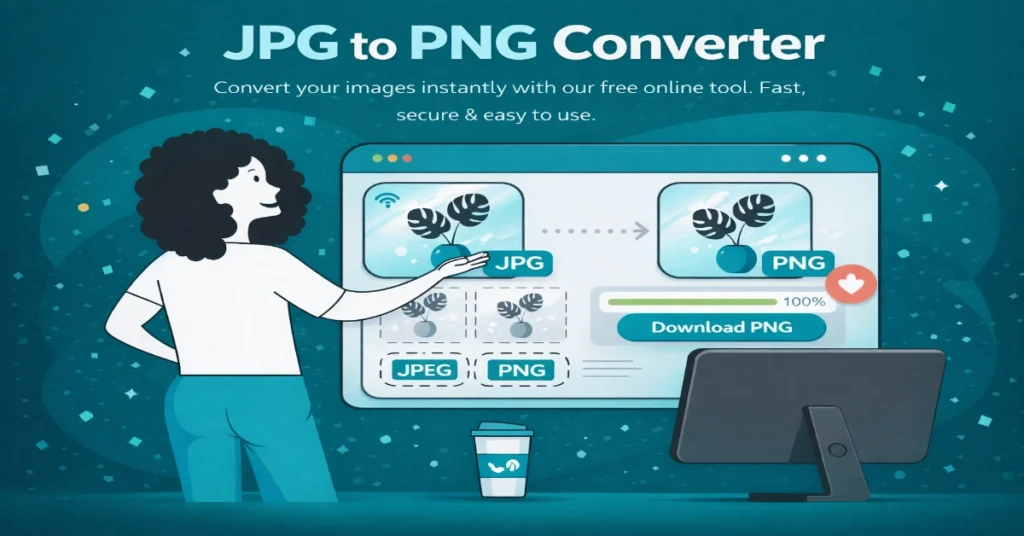
PNG to JPG Converter: Free & Fast Online Tool (2026 Guide)
PNG to JPG Converter is a free and fast online tool that allows you to convert PNG images into JPG format without installing any software. If you have large PNG files and want to reduce their size for email, website upload, or social media, this PNG to JPG converter can help you instantly.
In today’s digital world, image formats matter a lot. PNG files are high-quality but large in size, while JPG files are smaller and more compatible. That’s why using a reliable PNG to JPG converter is essential for students, freelancers, bloggers, and business owners.
What is PNG to JPG Converter and How It Works
A PNG to JPG converter is an online or offline tool that changes the format of your image from PNG to JPG. This process reduces file size by using lossy compression while keeping the image visually similar.
When you upload a PNG file:
- The tool compresses the image
- Removes transparency (if any)
- Converts it into JPG format
- Provides a downloadable file
This entire process usually takes less than 10 seconds.
PNG vs JPG: Key Differences Before Using PNG to JPG Converter
Before using any PNG to JPG converter, it is important to understand the difference between these formats.
| Feature | PNG | JPG |
|---|---|---|
| Compression | Lossless | Lossy |
| File Size | Large | Small |
| Transparency | Supported | Not Supported |
| Best Use | Logos, Graphics | Photos, Web |
When you use a PNG to JPG converter, you are trading high quality for smaller file size and better compatibility.
Why You Need a PNG to JPG Converter
A PNG to JPG converter is useful in many real-life situations. Here are the main reasons why you should use it:
- Reduce file size for faster website loading
- Upload images on platforms that only support JPG
- Send multiple images via email without exceeding size limits
- Improve website performance and SEO
- Save storage space on your device
For example, if you are a blogger or website owner, converting images using a PNG to JPG converter can significantly improve page speed.
Top Free PNG to JPG Converter Tools Online
Here are some of the best PNG to JPG converter tools available online:
1. Smallpdf
A simple and secure PNG to JPG converter with fast processing and automatic file deletion.
2. ILoveIMG
Offers batch conversion and adjustable quality settings, making it one of the best tools.
3. Convertio
Supports more than 300 formats and is ideal for advanced users.
4. Adobe Express
A trusted PNG to JPG converter with high-quality output and strong privacy standards.
5. Canva
Primarily a design tool, but works well as a PNG to JPG converter for quick downloads.
How to Use PNG to JPG Converter (Step-by-Step Guide)
Using a PNG to JPG converter is very simple. Follow these steps:
Step 1: Open the Tool
Visit any reliable PNG to JPG converter website.
Step 2: Upload Image
Select your PNG file from your device.
Step 3: Adjust Quality
Choose quality level (recommended: 90%).
Step 4: Convert
Click on the convert button.
Step 5: Download
Download your JPG file instantly.
Important Things Before Using PNG to JPG Converter
Before using a PNG to JPG converter, keep these points in mind:
Transparency Loss
PNG supports transparency, but JPG does not. Transparent backgrounds will turn white.
Slight Quality Reduction
Since JPG uses lossy compression, there may be minor quality loss.
Backup Your Files
Always keep the original PNG file saved.
Check Output
Preview the converted file to ensure quality is acceptable.
Other Useful PNG Conversion Tools
Apart from PNG to JPG converter, you can also use:
- PNG to PDF
- PNG to WebP
- PNG to SVG
- PNG to Word
- PNG to DXF
These tools are useful for different purposes like design, SEO, and document creation.
FAQ: PNG to JPG Converter
Is PNG to JPG converter safe?
Yes, if you use trusted tools like Smallpdf or Adobe Express.
Does it reduce quality?
Yes, slightly, but it can be controlled using quality settings.
Can I use it on mobile?
Yes, all modern PNG to JPG converter tools work on mobile devices.
What happens to transparency?
Transparent areas turn white after conversion.
Can I convert multiple files?
Yes, most tools support batch conversion.
Conclusion: Why PNG to JPG Converter is Important
A PNG to JPG converter is an essential tool for anyone working with images. It helps reduce file size, improve compatibility, and speed up website performance.
To get the best results:
- Use trusted tools
- Maintain quality settings around 90%
- Keep backup of original files
If you regularly work with images, using a PNG to JPG converter will save time, storage, and effort.
AI Image Resize & Crop
WebP Converter
PNG to JPG Converter
Image Compressor
All Tools Premium Free
Text Tools
Image Tools
YouTube Tools
SEO Tools
Converter Tools
Utilities
Word Counter
Character Counter
Case Converter
AI Sentence Counter
AI Paragraph Counter
Plagiarism Checker
AI Remove Extra Spaces
AI Text Repeater
Remove Line Breaks
Sort Text Lines