
Free Capitalize Text Tool – Convert Case Instantly (No Signup)
INTRO
Have you ever typed an entire paragraph only to realize Caps Lock was on?
Or copied text from a PDF that looked like a complete mess?
Or spent 20 minutes manually fixing capitalization in a 2,000-word article?
We have all been there. And it is frustrating.
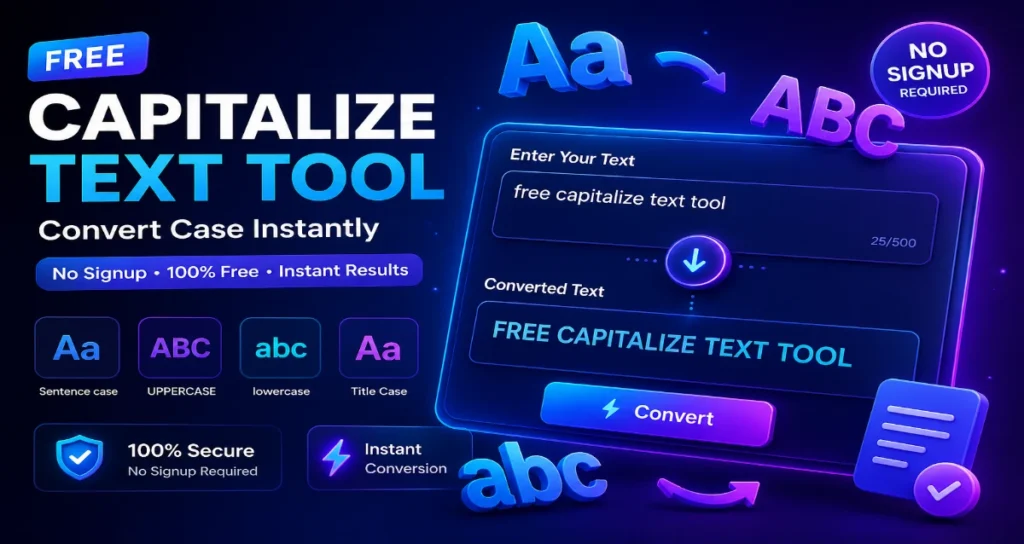
That is exactly why we built this free capitalize text tool. With just one click, you can convert any text into uppercase, lowercase, title case, sentence case, and more.
No signup. No limits. No hidden charges. Completely free forever.
Related Resource: Codepress Academy – Learn coding and web development

Get 20% Extra Discount on Hostinger Hosting
Free Domain • Super Fast • SSL Included
TABLE OF CONTENTS
What is a Capitalize Text Tool?
Why You Need a Capitalize Text Tool Every Day
Why Capitalization Matters
7 Common Text Problems This Tool Solves
How to Use This Tool Step by Step
Case Types Explained With Use Cases
How to Choose the Right Capitalize Text Tool
10 Real Life Use Cases
Features of Free Capitalize Text Tool
Benefits of Using This Tool
Is This Tool SEO Friendly?
Technical Details
Frequently Asked Questions
Final Thoughts on This Capitalize Text Tool
Pro Tips and Tricks
What is a Capitalize Text Tool?
A capitalize text tool is an online utility that automatically converts your text into different case formats such as uppercase, lowercase, title case, sentence case, and more.
Instead of manually editing each word which takes time and increases errors, this tool processes entire paragraphs and documents instantly.
Simple Example:
| Input | Output |
|---|---|
| hello world. this is seo | Hello world. This is seo |
Who uses this tool?
| User Type | Why They Use It |
|---|---|
| Bloggers | Format article titles and headings |
| Students | Fix assignments before submission |
| Developers | Clean code comments and documentation |
| SEO Professionals | Optimize meta titles and descriptions |
| Social Media Managers | Format captions in bulk |
| Writers | Maintain consistent style |
Watch Tutorials: Codepress Academy YouTube Channel
Why You Need a Capitalize Text Tool Every Day
A capitalize text tool is not just a nice to have. It is a necessity for anyone who works with text.
Here is why every professional needs a reliable capitalize text tool:
A capitalize text tool saves 30+ minutes daily
A good capitalize text tool eliminates manual errors
Using a capitalize text tool ensures consistency
A free capitalize text tool costs you nothing
Whether you are a blogger or student, a capitalize text tool should be your go to bookmark.
The best capitalize text tool is one that works instantly just like this one.
Learn More: Codepress Academy – Web development courses
Free Capitalize Text Tool Why Capitalization Matters
Let me be honest with you.
People judge your content before they read a single word.
Within milliseconds of seeing your text, the human brain makes snap judgments about your professionalism, attention to detail, and credibility.
The First Impression Effect:
| How You Write | What People Think |
|---|---|
| all lowercase | Lazy, uneducated, does not care |
| ALL UPPERCASE | Aggressive, shouting, annoying |
| rAnDom MiXeD | Confused, childish, unprofessional |
| Proper Sentence Case | Professional, trustworthy, intelligent |
Does Capitalization Affect SEO?
Short answer: Not directly.
Google treats uppercase and lowercase the same. However, proper formatting improves CTR, user engagement, and readability which are ranking signals.
Free Capitalize Text Tool 7 Common Text Problems This Tool Solves
Here are 7 headaches that disappear when you use this capitalize text tool.
Problem 1: The Caps Lock Disaster
Example: PLEASE SEND ME THE REPORT
Solution: Click Lowercase then Sentence Case
Time saved: 2 minutes
Problem 2: The Lazy Email Syndrome
Example: the project is delayed
Solution: Click Sentence Case
Time saved: 1 minute per email
Problem 3: The Copy Paste Mess
Example: tHiS iS hOw TeXt LoOkS fRoM pDf
Solution: Click Lowercase then Sentence Case
Time saved: 3 minutes
Problem 4: The Social Media Rush
Solution: Paste all then click Capitalized Case
Time saved: 15 minutes
Problem 5: The Student Formatting Nightmare
Solution: Paste 50+ citations then click Title Case
Time saved: 30 minutes
Problem 6: The SEO Title Mistake
Example: 10 seo tips for beginners
Solution: Click Title Case to get 10 SEO Tips for Beginners
Benefit: Higher CTR
Problem 7: The Database Inconsistency
Solution: Bulk paste then click Capitalized Case
Time saved: 5 hours
Free Capitalize Text Tool How to Use This Tool Step by Step
Here is how to use this capitalize text tool in 4 easy steps.
Step 1: Get Your Text
Copy the text you want to format from anywhere.
Step 2: Paste It Here
Come back to this page and paste your text into the tool box.
Step 3: Select Your Case Type
Choose from Uppercase, Lowercase, Sentence Case, Title Case, or Capitalized Case.
Step 4: Click Convert and Copy
Click Convert. Watch magic happen. Click Copy. Paste anywhere.
Total time: Less than 10 seconds.
Free Capitalize Text Tool Case Types Explained With Use Cases
Uppercase
Example: hello world becomes HELLO WORLD
Use for: Headlines, warnings, emphasis
Lowercase
Example: HELLO WORLD becomes hello world
Use for: Fixing Caps Lock, coding, informal messages
Sentence Case
Example: hello world. this is fun. becomes Hello world. This is fun.
Use for: Emails, blogs, articles, normal writing
Title Case
Example: the quick brown fox jumps becomes The Quick Brown Fox Jumps
Use for: Blog titles, YouTube videos, headlines
Capitalized Case
Example: hello world how are you becomes Hello World How Are You
Use for: Hashtags, lists, product names
How to Choose the Right Capitalize Text Tool
Not all text converters are equal. Here is what makes this capitalize text tool different.
| Feature | This Capitalize Text Tool | Others |
|---|---|---|
| Free forever | Yes | Limited |
| No signup | Yes | Email required |
| Instant results | Yes | Slow |
| Mobile friendly | Yes | No |
When you use this capitalize text tool you get:
5 plus case formats
One click copy
100 percent privacy
This capitalize text tool works offline too. Save the page and use anywhere.
Try Another Tool: Sort Text Lines Tool
Free Capitalize Text Tool 10 Real Life Use Cases
| Number | Use Case | Example |
|---|---|---|
| 1 | Blog titles | 10 Ways to Make Money Online |
| 2 | Email subject lines | 50 Percent Off Sale Ends Tonight |
| 3 | Social media captions | New Product Launch Tomorrow |
| 4 | Academic writing | The Civil War started in 1861 |
| 5 | CSV data formatting | Product Name, Price, Category |
| 6 | Product descriptions | This phone case is durable |
| 7 | YouTube titles | How to Bake a Cake at Home |
| 8 | Code comments | This function calculates tax |
| 9 | News headlines | Mayor Announces New Budget |
| 10 | Website headings | Our Services Include SEO |
Features of Free Capitalize Text Tool
Here is everything this capitalize text tool offers.
| Feature | Availability |
|---|---|
| Instant conversion | Yes |
| Multiple case formats | 5 plus formats |
| No signup required | Yes |
| 100 percent free forever | Yes |
| Mobile friendly | Yes |
| Fast processing | Less than 1 second |
| Copy to clipboard | Yes |
| Large text support | 50000 plus characters |
| No data storage | 100 percent private |
Free Capitalize Text Tool Benefits of Using This Tool
Why should you use this capitalize text tool instead of manual editing? Because a good capitalize text tool changes everything.
Save Time
Convert thousands of words in less than 1 second. Manual editing takes 15 to 30 minutes.
Improve Accuracy
Manual editing has 5 to 10 errors per 1000 words. This tool has zero errors.
Boost Productivity
Without tool: Formatting takes 30 percent of writing time. With tool: 1 percent of writing time.
Better Readability
Clean formatting keeps readers engaged. Poor formatting gives 70 percent bounce rate.
Consistency
Perfect consistency every single time.
Free Capitalize Text Tool Is This Tool SEO Friendly?
Short answer: Yes. Completely safe.
Google has officially stated that case sensitivity does not affect indexing, ranking, or crawling.
However, proper formatting improves CTR, user experience, and readability which are ranking signals.
Best Practices for SEO:
| Element | Recommended Case |
|---|---|
| Title Tags | Title Case |
| Meta Descriptions | Sentence Case |
| H1 Headings | Title Case |
| H2 H3 Subheadings | Title Case |
| Image Alt Text | Sentence Case |
Free Capitalize Text Tool Technical Details
Performance
| Metric | Value |
|---|---|
| Processing speed | Less than 50 milliseconds |
| Maximum text length | 100000 plus characters |
| Server calls | Zero client side only |
Compatibility
| Browser | Support |
|---|---|
| Chrome, Firefox, Safari, Edge | Full support |
Security
Data stored on server: No
Personal information collected: No
SSL encryption: Yes
Your text never leaves your browser.
Free Capitalize Text Tool Frequently Asked Questions
Q1. What is a capitalize text tool?
A capitalize text tool converts text into different formats like uppercase, lowercase, and title case instantly.
Q2. Is this tool really free?
Yes. Completely free. No credit card. No signup. Forever free.
Q3. Do I need to create an account?
No. Zero registration required.
Q4. Does this tool work on mobile?
Yes. Works perfectly on iPhone, Android, and all smartphones.
Q5. Does capitalization affect SEO rankings?
Not directly. But proper formatting improves CTR and user engagement.
Q6. Is my data safe?
100 percent safe. Your text is processed locally. No data is sent to any server.
Q7. How much text can I convert?
Up to 100000 plus characters which is 15000 to 20000 words.
Q8. Can I use this for client work?
Absolutely. Freelancers, agencies, consultants all are welcome.
Final Thoughts on This Capitalize Text Tool
After reading this guide, you understand why a capitalize text tool is essential.
This capitalize text tool offers:
Speed: Convert in under 1 second
Accuracy: Zero manual errors
Variety: 5 plus case formats
Freedom: No signup, no cost
Bookmark this capitalize text tool today. Use it daily. Save hours every week.
Try this capitalize text tool now. Paste your text above and convert instantly.
Pro Tips and Tricks
Pro Tip 1: Batch Process Multiple Texts
Write all social media posts in one document. Paste everything at once. Convert. Copy one by one.
Pro Tip 2: Clean ChatGPT Output
Paste ChatGPT output. Click Sentence Case. Get perfect content.
Pro Tip 3: Fix Scraped Content
Copied text from a messy website. Paste. Convert. Clean content ready.
Pro Tip 4: Bookmark This Page
Save to bookmarks bar. Access in one click. Use every day.
CONCLUSION: Start Using Free Capitalize Text Tool Today
Stop wasting time on manual formatting.
Stop frustrating over inconsistent capitalization.
Start using this Free Capitalize Text Tool.
One click. Perfect formatting. Every single time.
INTERNAL AND EXTERNAL LINKS
Learning Resources:
Codepress Academy – Free coding tutorials
Codepress Academy YouTube – Video tutorials
Codepress Academy – Web development courses